Executive Functions: Cognitive Flexibility & ADHD

People who have good Cognitive Flexibility are able to kind of “go with the flow”. They handle sudden changes in situations or in the environment without a lot of freaking out.

Yes, ADHDers have a reputation for being laid-back and easy-going, and great in an emergency. Lots of us end up working in jobs like emergency medicine, after all.

So if we say that ADHDers struggle with Cognitive Flexibility, what gives?

Pinnable image for this post of two ballet dancers in what could be considered extreme positions.

Think back to when you actually lose your cool. It’s typically going to be when stuff goes sideways, when your plans can’t happen, when something breaks your routine. For people working in an ER or as paramedics, emergencies at work are just part of the daily grind. They don’t get flustered because they know what to do in these specific types of situations.

In regular life, difficulty with Cognitive Flexibility looks like melting down because someone else ate the thing you had planned to eat for lunch. It’s feeling completely lost because a friend popped in for a visit when you’d been intending to watch your favourite TV show. It’s feeling like nothing ever goes right and you shouldn’t make plans because obviously nobody else cares about what you want so why bother and life sucks, all because you missed correcting a typo in an e-mail you sent your boss.

Yeah.

Sometimes it’s the tiniest things that break us, because they’re harder to predict. Society expects us to have plans for evacuating in case of fire. We’re supposed to keep supplies on hand in case there’s a flood or something. We know to call 911 if there’s a break-in or if someone has a medical emergency. But our brains see disruption of plans and routines (both of which take a lot of energy to create and follow already) as being life-or-death emergencies.

Cognitive Flexibility is one of the executive functions that’s implicated in all three types of ADHD. It’s why transitioning from one activity to another is difficult. It’s why we melt down over “little blips”, and why we panic when they happen.

Cognitive Flexibility is part of Planning–or maybe Planning is part of Cognitive Flexibility? Unclear. They may well be entwined and part of each other. It is part of Attentional Control, because it is part of why it can be hard to change our attention. And it affects Self-Monitoring, because it can be so hard to know why we’re reacting to something in a particular way.

Since Cognitive Flexibility is implicated in all three types of ADHD but it mainly affects other Executive Functions that are involved in Inattentive ADHD more than in Hyperactive/Impulsive ADHD, you are more likely to struggle with it if you have Inattentive or Combined ADHD. It’s just one of those things: difficulties with one make others harder, and vice versa.

Having difficulties with Cognitive Flexibility is not a moral failing. It is not wrong to feel overwhelmed when something changes unexpectedly. It is not wrong to flail a bit when the rug is pulled out from under you and you feel like you’re about to fall off a cliff.

I want to encourage you, if you struggle with Cognitive Flexibility, to remember this. Remember that you’re “overreacting” because your brain, your body, feels like you’re going to die. If you can, close your eyes and take a deep breath. Slow down. Talk yourself through the new situation, out loud if necessary. “I was going to do X and now I can’t do that. What are my options? I could do Y or Z or B. Which one makes the most sense right now?” etc.

If you have someone in your life you can trust, who you feel okay asking to support you, show them this post and this explanation of what’s going on when something changes. Ask them to help you work through these sudden changes when they happen, with the idea that eventually you’ll be able to do it independently. If they aren’t sure how they would do that, come up with a key phrase they can say when they notice that you’re starting to spiral. Something like “Things have changed, what now?” Use that as your cue to breathe slowly and talk through the options.

Having ADHD is hard. Struggling with Cognitive Flexibility is hard. You are not worth less than someone else because of these challenges. Your brain literally works differently from that of a non-ADHD brain, and that’s okay. It’s okay to ask for help with your challenges. You matter, and you are allowed to have a good quality of life. If that means you need help dealing with sudden changes and making transitions and stuff, well, so be it.

Everyone needs help with something, and this is one of your things.

Tips & Tricks: Managing School Assignments

I thought it was about time I wrote a proper, thorough post about how to keep track of your assignments for school. If you’re not in school anymore, this can also be helpful for managing your work projects.

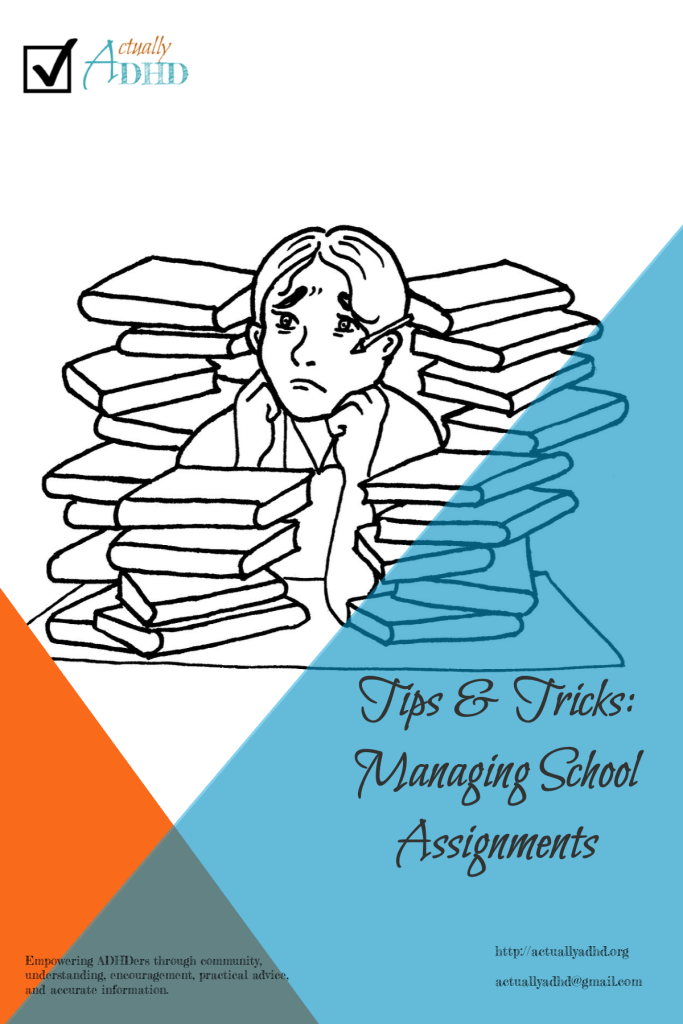
Instagrammable image for this post, including a line drawing of a person sitting among piles of books.

There are a few ways to manage school assignments, and what I’m going to explain here is the system I’ve implemented for my son, who is doing online school for grade three. It’s modified from the (somewhat less organized) system I used when I was in school, and takes a number of tips from the book The Organized Child: An Effective Program to Maximize Your Kid’s Potential—in School and in Life, by Richard Gallagher, Elena G. Spira, & Jennifer L. Rosenblatt, which I’ve discussed here before.

What You Need

No matter what type of school you are in (i.e., grades 1-12, post-secondary) you will need:

  • a calendar to track your due dates
  • a chart to track your current assignments
  • a way to break down your assignments into smaller steps.

Your Calendar

Your calendar can be physical or digital, whatever works best for you. I suggest having a separate calendar for your school assignments, so that the organization and assignments don’t get lost in everything else you do in a day.

You might want to use your phone’s calendar or Google Calendar, or maybe something like Notion or another time management app. I highly recommend assigning each course or class a colour or emoji in a digital calendar, to make it easier to see what different tasks go with.

Or you might want to use a physical planner, one of those little monthly purse calendars, or a wall calendar. Again, I highly recommend assigning each course or class a different colour of pen or highlighter, since even if you aren’t a visual processor the colours will help you ensure that you’re doing what you’re supposed to for each subject.

Using Your Calendar

When you are given an assignment, add the name on the due date and mark it as the subject it’s for.

When you break the assignment down into smaller steps, add each step to the calendar as well, in the same way. This will help you see what you need to do when, which is particularly helpful for long-term assignments and big projects.

If your course has an outline with all of the assignments and readings listed in it, mark all of these things in your calendar as soon as you get the outline. Then when you’re given the details on the assignments, you will be able to break things down and add the steps as usual.

If you are using a digital calendar, set alerts for all of the due dates to remind you of what you’re supposed to do. If your calendar is physical, you will need to check it every morning to make sure you’ve got what’s supposed to be turned in that day, and then again when you start your study session at the end of the day so you can be sure you’re doing what you’re supposed to do that day.

Your Assignment Chart

The Assignment Chart should have columns for:

  • the subject name
  • the assignment name
  • any details about the assignment that are important to remember
  • due date
  • how the assignment is to be turned in (if it’s supposed to be turned in)
  • checking off when the assignment is complete and turned in

You may want to keep one chart for each subject, which will make it somewhat easier to be clear about what’s what.

If you want to make sure you’re clear about what is required, you can show your chart to your instructor and ask if you’re missing any important information.

Alongside the chart, you may want to create a Project Tracker for each assignment that needs to be turned in. On this tracker, you will be able to break the assignment down into steps and list all of the details you need to remember about how it’s supposed to be done, in a way that makes sense for you.

Both of these could be done in an organization app like Notion (Notion is on my mind because I’ve been using it a lot lately), in a spreadsheet, or in a Word document (or Google Doc). You can also show your instructor the Project Tracker to make sure you didn’t miss any steps.

Breaking Projects Down

The most important part of your assignments is making sure you break them down into steps. Seeing the name of the project on your list without a note of what step you need to focus on that day can be super overwhelming. Yes, it can also be really overwhelming to see the whole list of steps, but that’s why you want to put the steps into your calendar: that way you only see the current step.

If you need help figuring out what the steps for a particular assignment is, you can ask your instructor, a school counselor, your friends, or your parents. They may not have difficulty with this aspect of assignments, but if it’s hard for you just be clear with them that you need help and you trust them to help you figure this out. If you don’t think any of these people will be able to help you, you can always ask us here and we will do our best!

You can list the steps on your project page or in your calendar. For my son, I am putting the assignments into the Task Tracker in MS Teams (the platform his school uses) and listing the steps inside of each assignment.

This week’s printable includes a monthly calendar spread, an assignment chart, and a project page. If you would also like to see digital versions of these, let me know your platform and I will see what I can do.